See exactly what your Acond heat pump is doing.
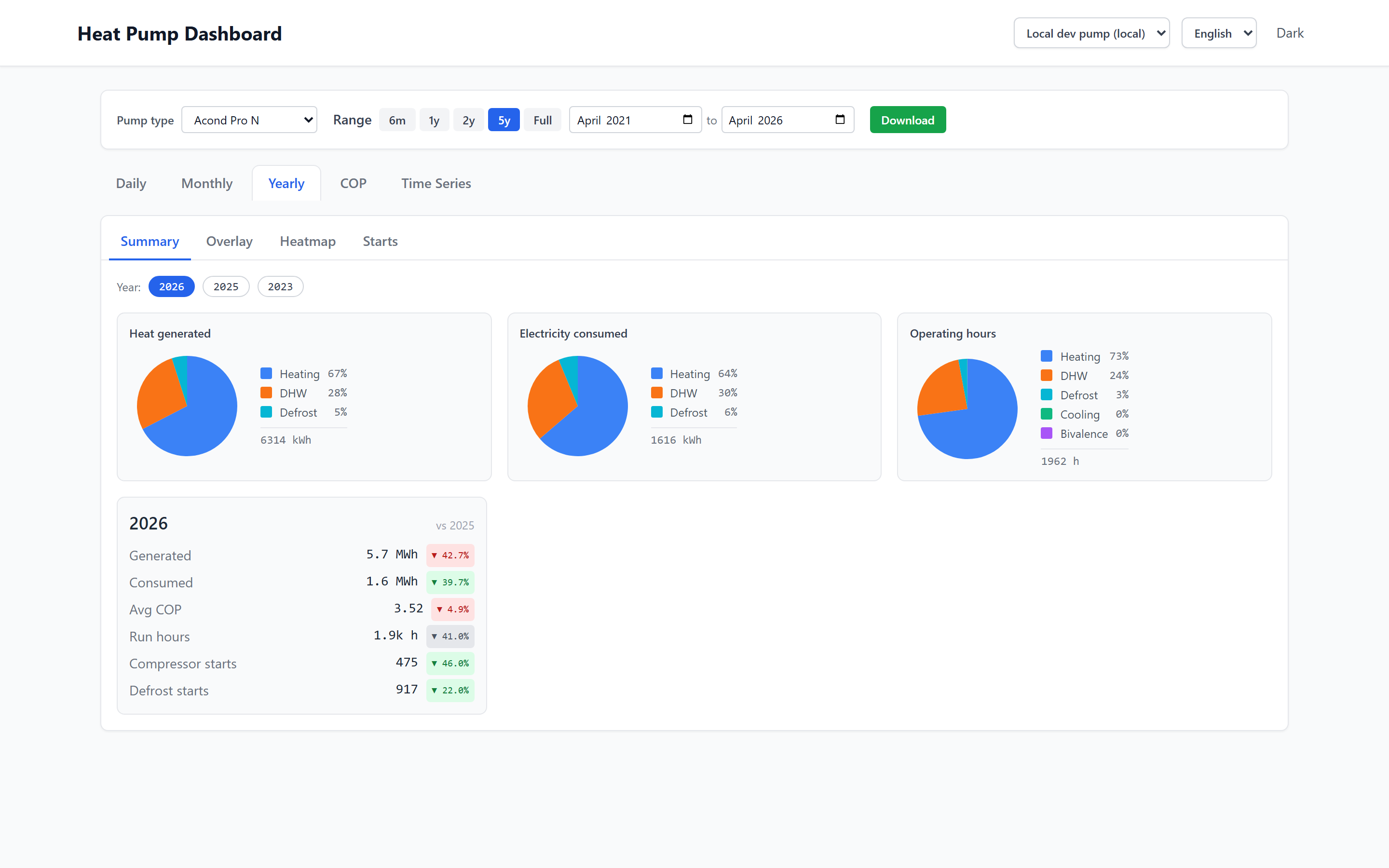
Daily COP, electricity use, year-over-year — every sensor, downloaded automatically from Tecomat. Built for owners of Acond heat pumps.
For owners of Acond heat pumps — Pro, Aconomis and Grandis series — connected via Tecomat (Foxtrot) PLC. Not every type may be compatible — check compatibility before purchasing.
Everything in one dashboard
-
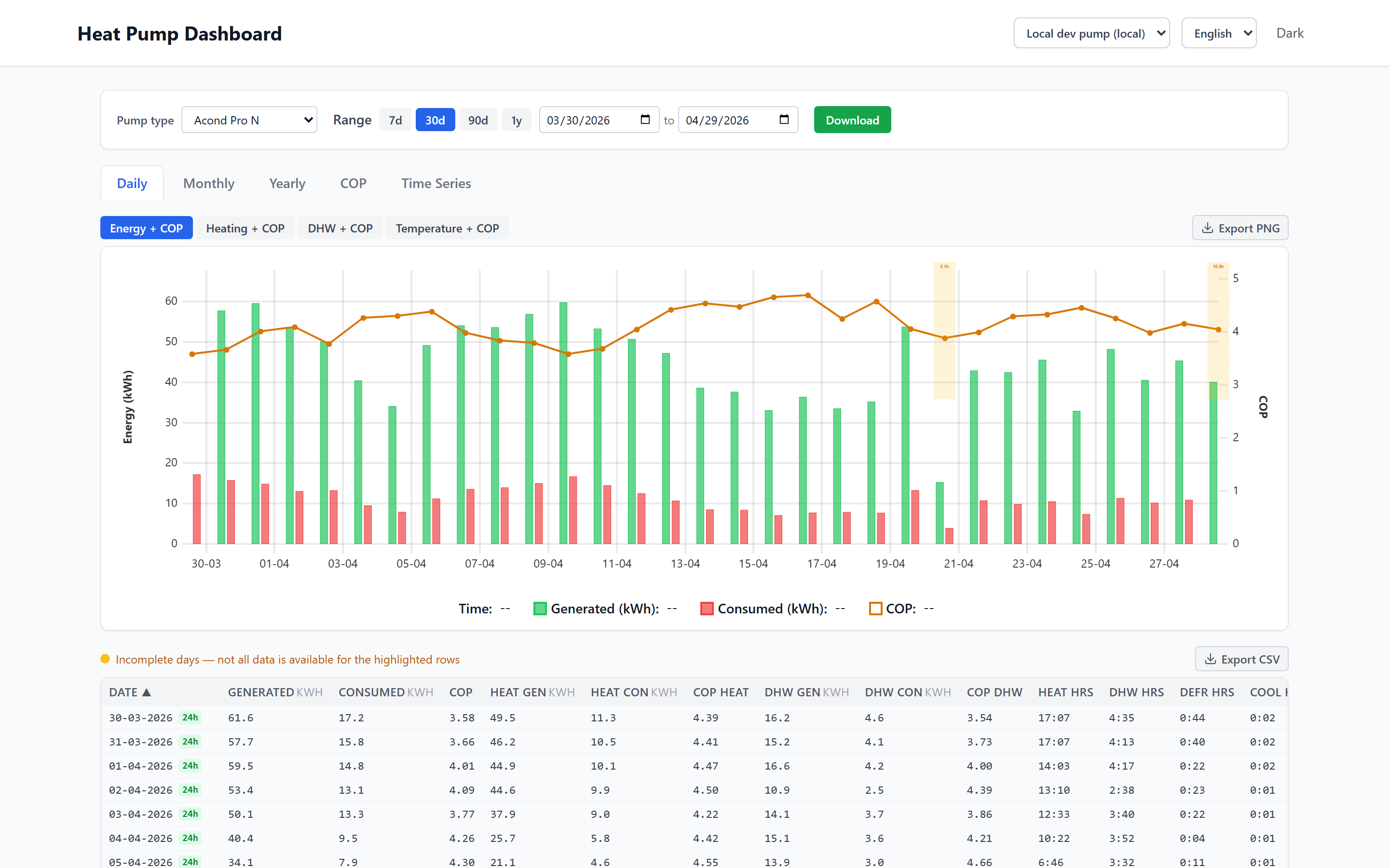
Daily, monthly & yearly charts
Drill from a 5-minute trace up to multi-year totals without leaving the page.
-
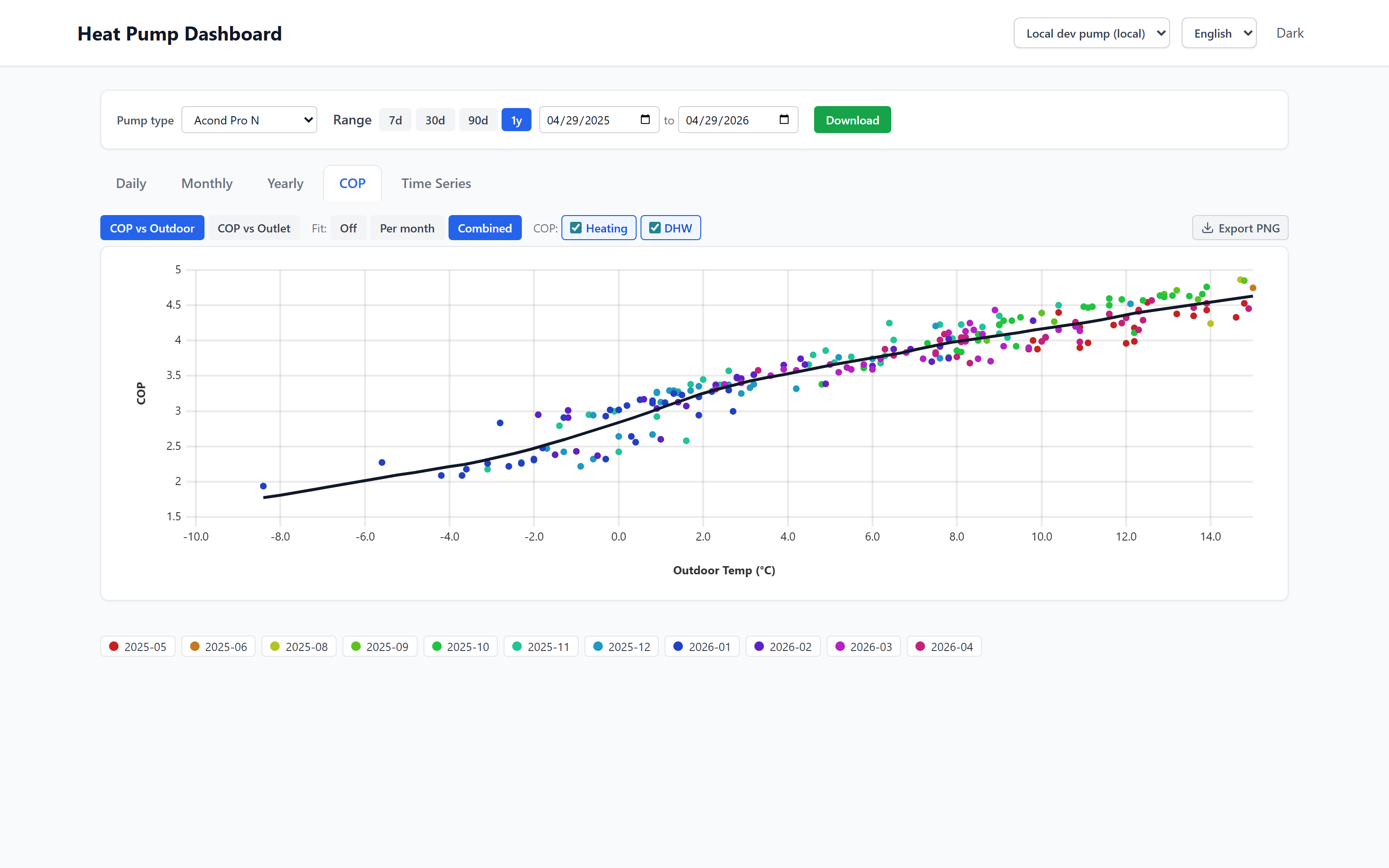
COP scatter & efficiency over time
See exactly when and why your pump under-performs — outdoor temperature on X, COP on Y.
-
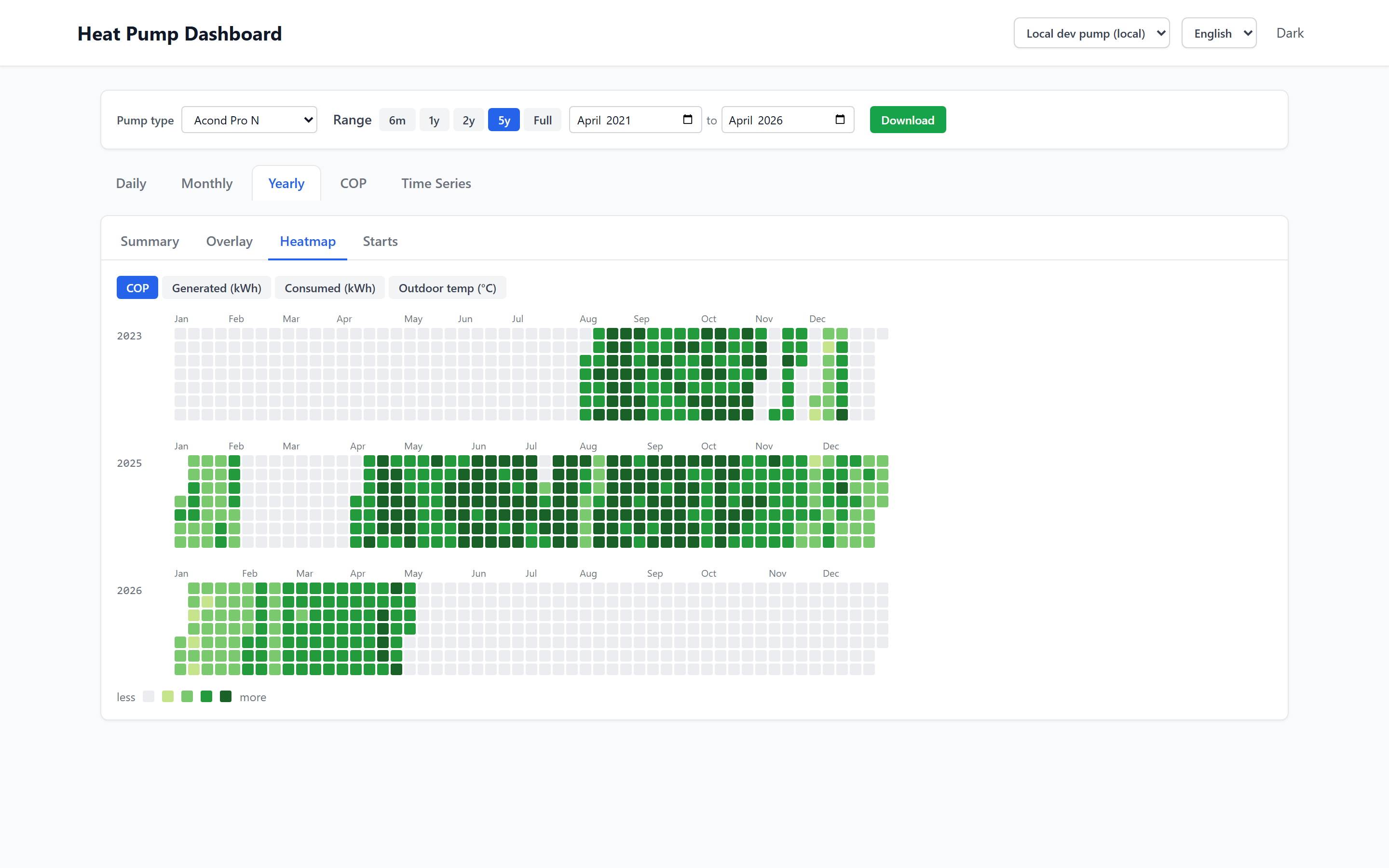
Calendar heatmap
One cell per day, coloured by consumption — see daily energy use and temperatures at a glance.
-
Year-over-year comparison
Overlay this winter on last winter to see whether tweaks actually saved energy.
-
Multi-pump, multi-language
Manage several pumps from one account. UI in English, Czech and Polish.
-
Credentials stay in your browser
Tecomat and Acond logins are stored locally and sent directly with each download — never persisted on the server.
How it works
-
1
Register & add your pump
Create an account with an invite code, then add your heat pump by its MAC address.
-
2
Enter your Tecomat & Acond logins
One-time setup, kept in your browser only. They're sent directly with download requests.
-
3
Download & explore
Click download — months of data usually arrive within a minute, ready to chart.
A look inside
Simple pricing
Annual access
599 CZK / year for two pumps
- Unlimited downloads, full history
- All charts and exports
- EN / CS / PL UI
- Email support
- One-time payment, no auto-renew
Digital service activated immediately after payment. By consenting to immediate provision at checkout you waive the 14-day right of withdrawal (§1837(l) Czech Civil Code). Service issues are reviewed individually — see Refund Policy.
Frequently asked questions
Which heat pumps does it work with?
Acond heat pumps — Pro, Aconomis and Grandis series — connected through a Tecomat Foxtrot PLC. Not every type may be compatible — check compatibility before purchasing.
Where does my data live?
On a small server in Germany (Hetzner Cloud, Nuremberg). The data is yours — you can download or delete it at any time.
Are my Tecomat / Acond credentials safe?
They're stored in your browser's local storage and sent directly with each download request. They are never saved on the server.
What if I have more than one heat pump?
Annual access includes up to two pumps in one account.
Where do I find my login credentials?
Your Tecomat portal login is in the handover documentation for your heat pump or in the HeatingUp app. The heat pump (Acond) login is factory-set to acond / acond — most users have never changed it. You can check the current credentials in the heat pump's web interface settings.
Where do I find the heat pump's MAC address?
You need the MAC address of the eth2 interface. You can find it on the wall controller, in the PLC web interface, or in the HeatingUp app under the Home section on the last line at the bottom.
How long does a data download take?
It depends on the volume — a few months usually download within a minute. If you're downloading a longer period (a year or more), it can take tens of minutes or even hours.
How does payment work?
A single up-front payment for one year, processed by Stripe. There's no auto-renewal — when the year ends you'll get a reminder email and can choose to renew or not.
Refunds?
Cloudac is a digital service activated immediately after payment. At checkout you expressly consent to this immediate provision and thereby waive the 14-day right of withdrawal (§1837(l) Czech Civil Code). If the Service does not work as described, we review each case individually — see Refund Policy.
What about GDPR?
The service runs on EU infrastructure. See the privacy policy for what's collected and why.